The problem
Click to see the original problem
Please show additional steps
Answer provided by our tutors
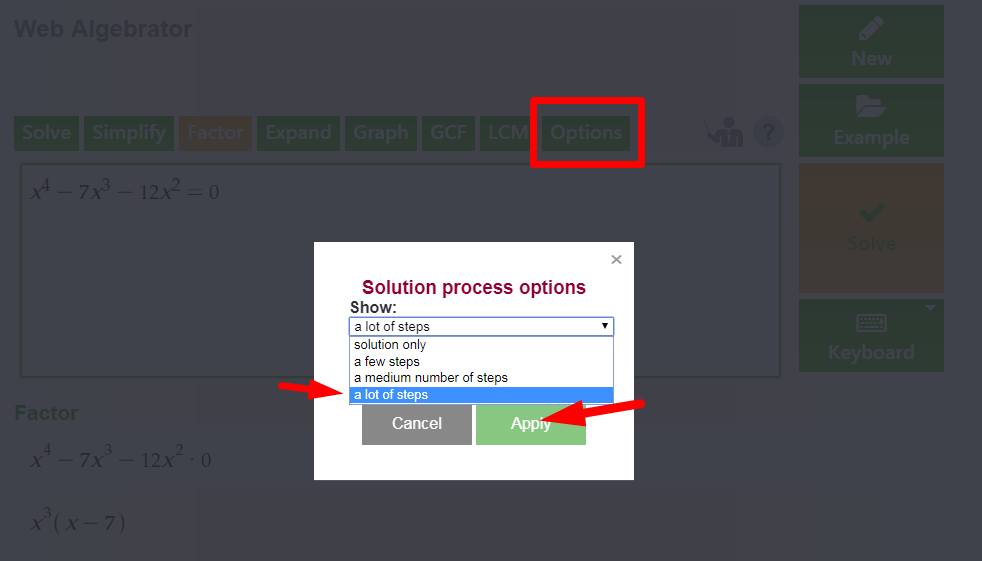
Go to 'Options', select 'Show: a lot of steps' and click 'Apply':
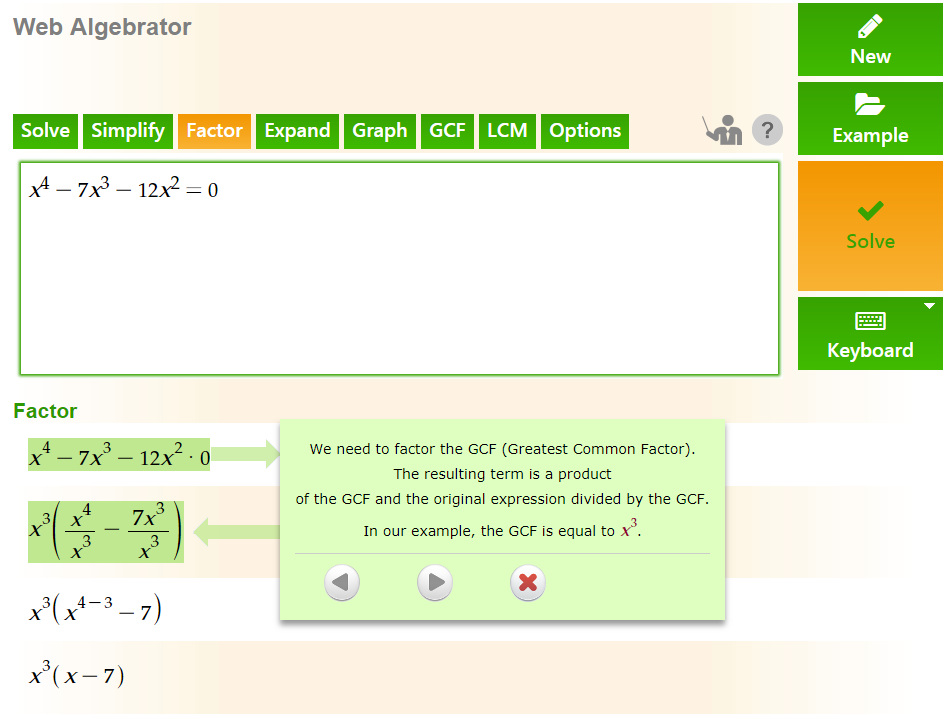
And you will get the following steps :

Please show additional steps
Go to 'Options', select 'Show: a lot of steps' and click 'Apply':
And you will get the following steps :
| ← Previous Problem | Next Problem → |